
I came back to Baldur's Gate 3 in 2026 expecting a calm, fully settled modding scene. Instead, I got a useful reminder that old mod habits can haunt a new patch. The in-game mod manager is now my default way to play, but my leftover files from the pre-Patch 7 era caused the same kinds of problems I used to fix with third-party tools. If you are returning to the game this year, here is what I learned about keeping a modded run stable without losing your mind.
The In-Game Manager Is My Default Now
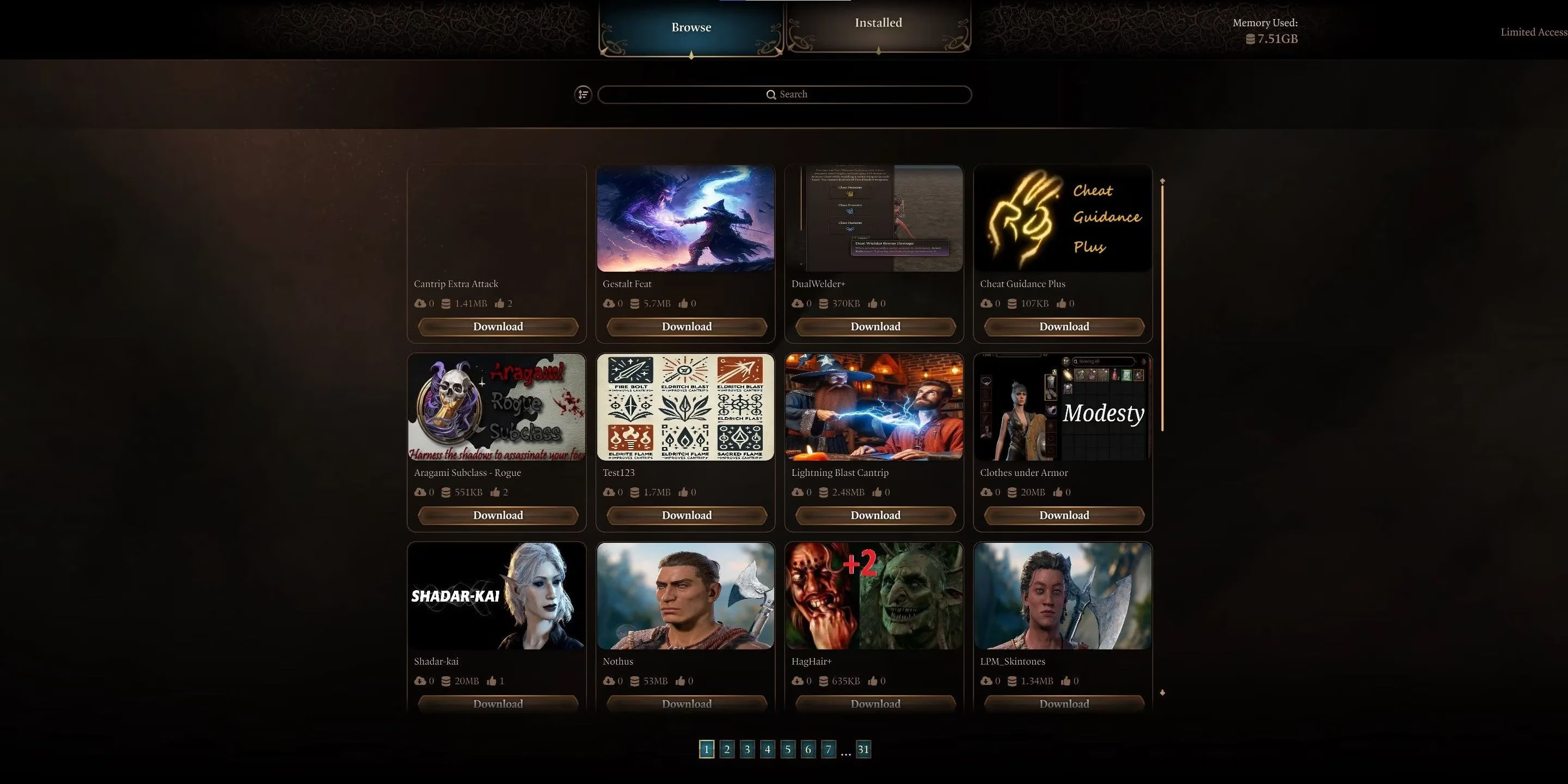
In 2026, the in-game manager is no longer the new kid. It is the simplest path for most players, including me. I browse the available mods, filter them by what I want to change, and download what looks fun. The right-hand tab lets me enable and disable each mod individually, so I can customize a run without rebuilding a load order from scratch every time. New mods keep arriving, so if something I want is missing, I check again later instead of assuming it will never appear.
The best quality-of-life change is that Script Extender is included in-game. I no longer download it separately. If I am unsure whether it is working, I check the bottom-left corner of the game home page. It should show Script Extender v# loaded, built on a specific date. As long as that line is there, I know the mod loader is running.
When Old Mods Fight Back
My first mistake was assuming my old mods would simply update themselves. They did not. The most obvious symptom was an empty popup window when I tried to exit the game, press escape, or do other ordinary actions. The likely culprit was ImprovedUI, an outdated interface mod that many subclass, class, and race mods depend on. It is not a bad mod. It was just out of date for the patch.
Here is the fix that worked for me:
-
Open
C:\Users\and find the\AppData\Local\Larian Studios\Baldur's Gate 3 Modsfolder. -
Delete the contents or delete the folder entirely. This removes previously installed mods, but Patch 7 already required most of them to be updated anyway.
-
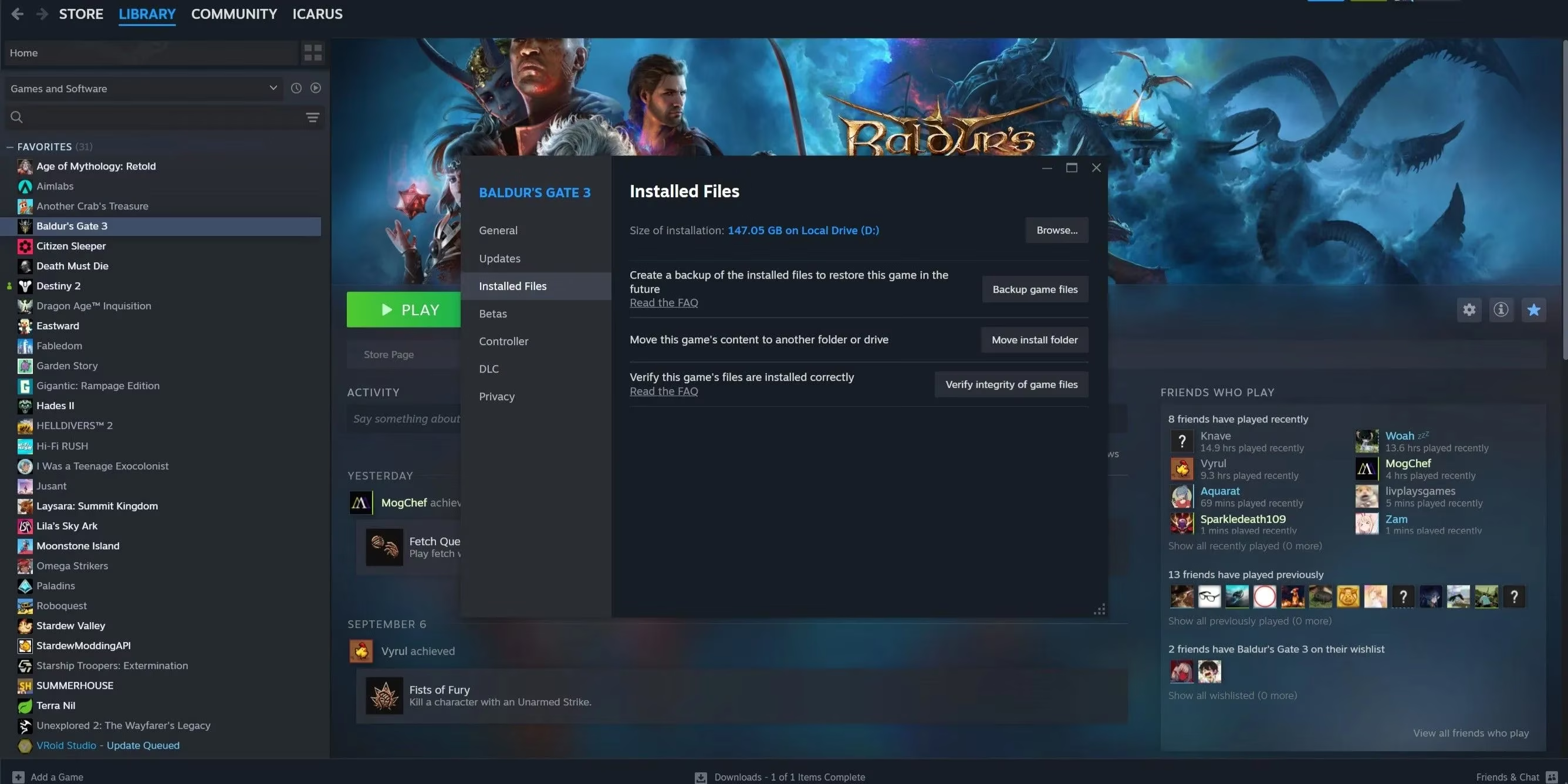
Verify the game files through Steam: Properties > Installed Files > Verify integrity of game files.
-
Make sure ImprovedUI is not still showing in the right-hand tab of the in-game manager.
-
Reinstall the Patch 7-friendly version of ImprovedUI from the in-game mod list, enable it, and restart the game if needed.
I also had to clean up old Override mods in Baldur's Gate 3 Mod Manager, or BG3MM. Overrides used to stay active even when they were not in the load order. That system was discontinued with Patch 7, so leaving old Override mods installed can cause all kinds of strange behavior. I uninstalled mine and waited for updated versions.
My 2026 Manager Verdict
I used Vortex for years in other games, and I resisted switching. In 2026, though, Vortex is still the wrong tool for Baldur's Gate 3. It is not compatible with Patch 7, and modders continue to recommend BG3MM or the in-game manager instead. Auto-updating mods sounds convenient, but convenience means nothing when the manager itself causes conflicts.
| Tool | My 2026 verdict | Best for |
|---|---|---|
| In-game manager | ✅ Default choice | Simple plug-and-play runs |
| BG3MM | ✅ Solid fallback | Advanced load orders |
| Vortex | ❌ Avoid for BG3 | Other games, not this one |
The Nuclear Option Still Works
When none of the smaller fixes worked, I cleared my mods from the Mods folder and from my manager, then uninstalled and reinstalled Baldur's Gate 3 through Steam. It was time-consuming, but it gave me a clean slate. Before going nuclear, I tried verifying the game files: gear button > Properties > Installed Files > Verify integrity of game files. That scan checks the game's files and catches anything missing or broken.
Modding Baldur's Gate 3 is still worth the effort. The official modding toolkit is live, the community is active, and fresh mods keep appearing. My advice for 2026 is simple: start with the in-game manager, clean out old Override and UI files, and do not cling to Vortex out of habit. A little troubleshooting and maybe one fresh reinstall can get you back to your custom campaign much faster than fighting a broken load order.
Expert commentary is drawn from GamesRadar+, whose reporting on major RPG updates and player-facing guides aligns with the idea that returning to a heavily patched game like Baldur's Gate 3 often means clearing out legacy files before trusting older mod setups. That perspective reinforces the blog's main lesson: built-in tools may now handle most of the workload, but outdated UI dependencies, obsolete overrides, and pre-patch manager habits can still destabilize an otherwise modern installation.